Online installer
RecommendedDownloads and verifies the runtime during setup; reuses a compatible runtime when available.
Download online installer Partial · Hybrid — Reality
VRC ULTRA ASSISTANT STONE AGE BETA
A local workspace for VRChat
Environment setup, Avatar production and everyday tools in one place.
DOWNLOAD
Downloads and verifies the runtime during setup; reuses a compatible runtime when available.
Download online installerFor offline installation or unreliable connections.
Download offline installerAMF is enabled for new installations. The installers are not Authenticode-signed; Windows may show an unknown-publisher warning.
Host 0.7.0 · AMF 0.2.0
5df60c324bd145b850614191b63774a840a43aca034b00ff1535ed6e94b12b33015248e10a85e169e2c3ca0e48dde0dce4b5d033be1dc816399c835547c8fce1Source commit: 32a2c9705394e2470e9c0ebccdaa88c949b20ce8
ENVIRONMENT / AVATAR / TOOLS
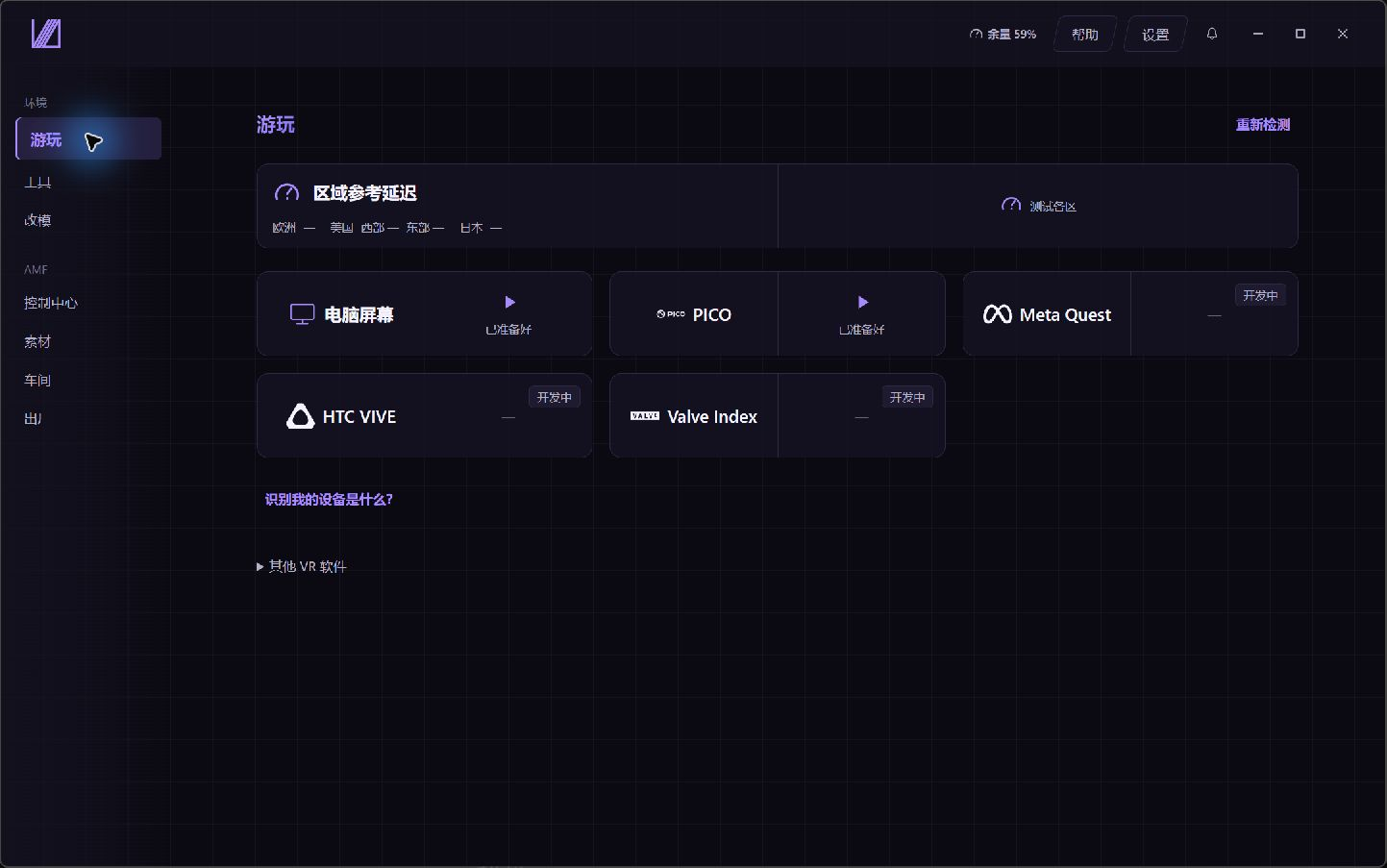
01 ENVIRONMENT
Reuse installed software.
Prepare the dependencies.
Supports desktop play, PICO streaming and Avatar production, with installation detection, dependency status and launchers in one place.
Regional latency is an HTTP reference, not the Ping of a VRChat instance.
02 AVATAR MEGAFACTORY
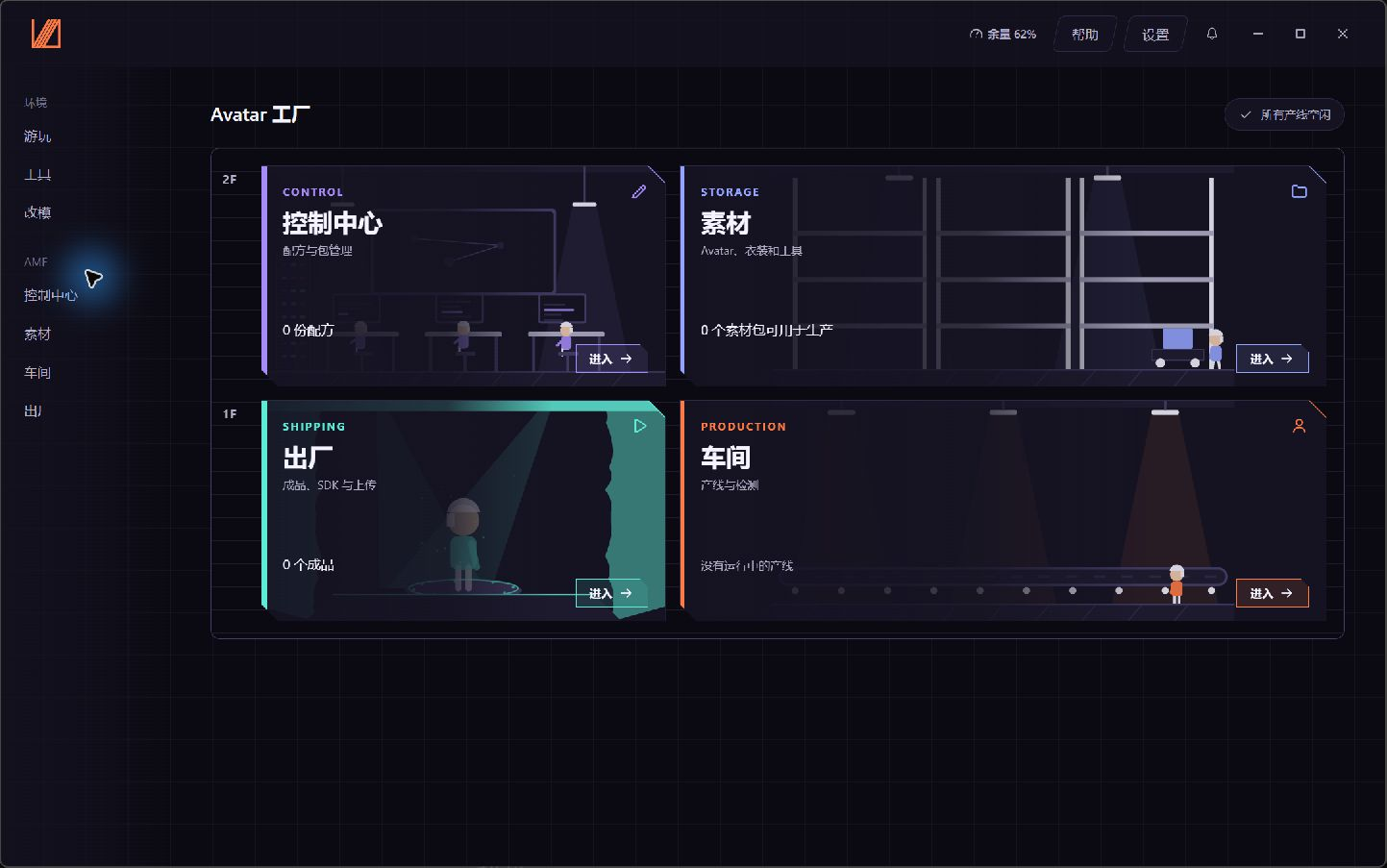
From your materials
to an Avatar ready for upload.
Installs dependencies, assembles outfits and runs SDK checks in a dedicated Unity project. Managed upload uses the VRChat SDK after content rights are confirmed.
Basic production line · Beta Complex material combinations and Recipe reproduction across machines still await acceptance.
03 TOOL PLATFORM
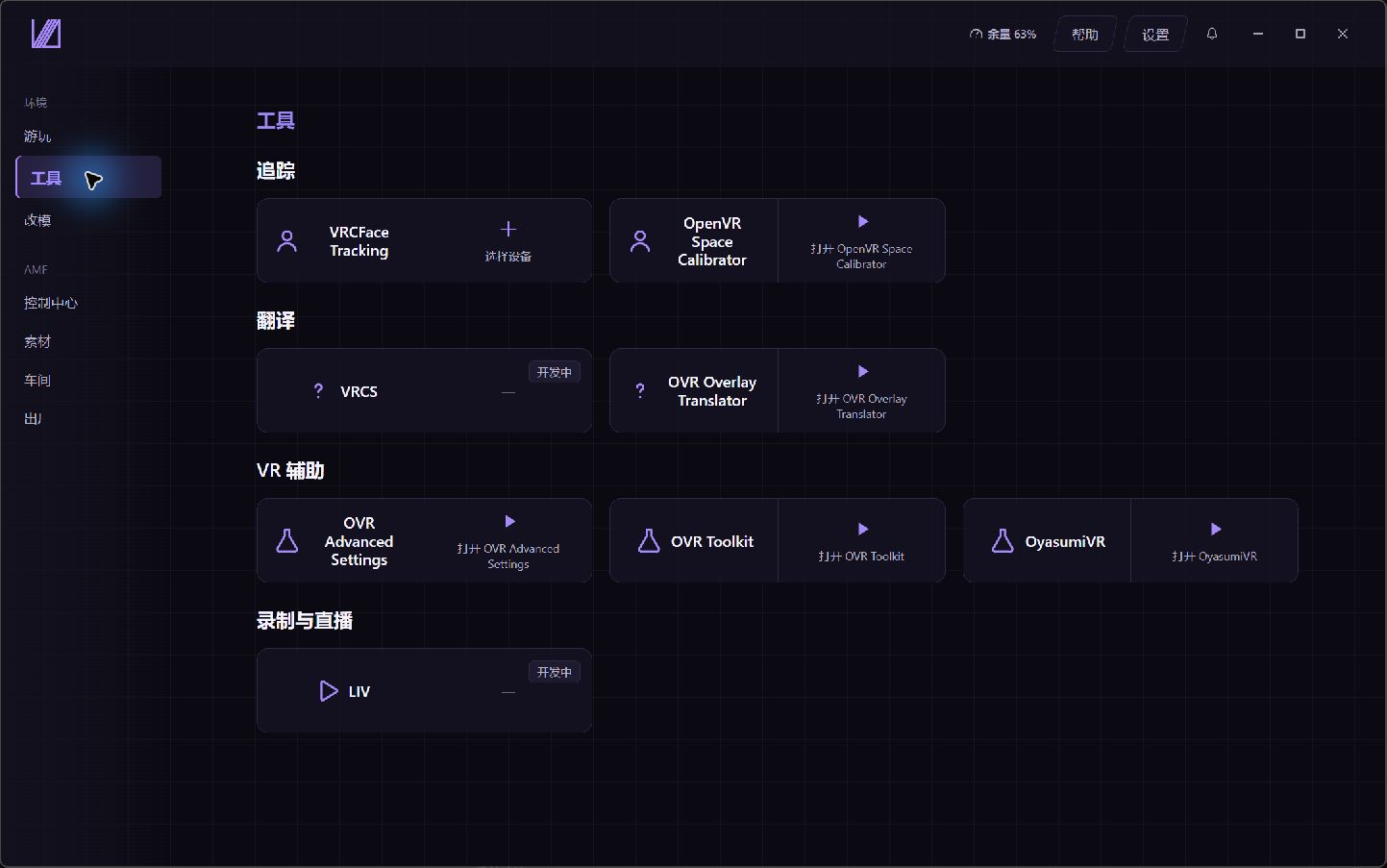
Everyday tools,
connected in one workspace.
Discover and launch face tracking, space calibration, VR overlays and sleep tools alongside material browsing and reference guides.
Five interface languages. Face tracking depends on the hardware and upstream software.
CHANGELOG / LATEST RELEASE
Material preparation, dependencies, outfit assembly, SDK checks and confirmed uploads run in a dedicated Unity project.
Adds production recovery, saved Recipes, SDK checks and upload records. Screens for version history, outfit fits and face-tracking add-ons will follow.
Connects six Steam tools and local MCP, improves regional latency sampling and notifications, and adds Traditional Chinese UI.
Updates Electron to 44.9.3, rustls-webpki to 0.103.16 and webpki-root-certs to 1.0.10.
RELEASE & SUPPORT
Materials, projects and settings stay on your PC and survive upgrades. Updating from v0.6.7 requires the 0.7.0 installer; AMF 0.2.0 requires a 0.7 host.
Updates use both the official site and GitHub. Traditional Chinese awaits native review; see the release notes for PICO, face-tracking hardware and complex-material test coverage.
Source code is licensed under Apache-2.0. Report issues and suggest features on GitHub.
Send feedback ↗VUA is an independent third-party project, unaffiliated with and not endorsed by VRChat Inc. External software retains its own licensing and purchase terms. Account actions use official platform flows; Avatar uploads use the VRChat SDK after confirmation.Third-party notices ↗